
Expo Go review
 Analysis by GetAllApps
Expo Go is easiest to judge by asking what you want your phone to do: run an app you are building, or serve as a finished app for everyday use? I find it useful in the first role. It gives developers a practical way to try JavaScript and React projects on a mobile device, while offering little reason for someone who simply wants a conventional consumer app to install it. That distinction matters: this is a hands-on development companion, not a catalogue of ready-made experiences.
Deciding whether Expo Go fits your workflow
Before choosing it, I would look at how you plan to build and test. If you are learning React, prototyping an idea, or checking how a project feels on a real phone, Expo Go can make that process more approachable than starting with a full native-development setup. Its purpose is to help you run projects built with JavaScript and React, so the main benefit is a shorter path from code to an on-device preview.
That benefit has a boundary. Expo Go is not a general-purpose tool for creating an app entirely on your phone; you still need a development workflow that produces a project for it to run. If you have no interest in building or testing software, the app’s developer focus will feel like an obstacle rather than a convenience. I would decide based on whether you need a testing companion, not on the app’s broad availability.
Expo Go is a free app from Expo Project in the libraries and demo area. It is rated for Everyone, and its current version is 58.0.5. Its long-running presence, dating back to a December 2015 release, makes it a familiar option in a part of the app world where tools often serve a narrow, technical purpose. The numbers suggest it has found a substantial audience: it has an average rating of 4.3 from around 32,000 ratings and has passed five million installs.
What the phone preview adds
A desktop preview can tell you whether a screen renders, but it does not recreate the small decisions people make on a phone: whether text feels cramped, whether a tap target is comfortable, or whether an interaction makes sense when held in one hand. Running a project on an actual device helps expose those issues while the design is still easy to change. For me, that is the most useful reason to keep Expo Go in a development toolkit.
It also makes testing more concrete for people who are not writing the code. A designer, teammate, or prospective user can get a better sense of a prototype by trying it on a phone than by looking at screenshots. That does not turn a preview into a finished product, but it can make feedback more specific: people can react to the flow they experienced rather than guess from static screens.
Where Expo Go earns its place
The strongest case is quick iteration. Imagine you are putting together a small React project after work and want to check whether its main screen is understandable on your own phone. Instead of treating the computer display as the final judge, you can use Expo Go as the device-side part of the test. You notice that a button is awkward to reach, revise the layout, and check the change again. That short feedback loop is more valuable than a long feature checklist.
A less obvious benefit is how it can change the order of your decisions. When a project is still a prototype, it is tempting to spend time polishing code before confirming that the basic interaction works on a real device. I would use Expo Go early, while the project is small, to find interface problems before they become tangled up with later work. It is a sensible way to treat mobile usability as part of development rather than a final inspection.
It can also help a learner connect abstract React concepts to something tangible. A component is easier to reason about when you can see how it contributes to a screen you can hold and use. For someone studying independently, that immediate visual result can make practice feel less disconnected from the outcome. The value is not that the app teaches React by itself; it is that it can take part in a workflow where learning and testing happen together.
Another practical tip is to keep the first test focused. Rather than trying to evaluate every screen at once, I would run through one important task from beginning to end: open the project, find the main action, and see whether the next step is obvious. That reveals confusing navigation and touch-related friction sooner than casually browsing several screens. Expo Go is most helpful when used as a deliberate test instrument, not merely as a place to admire a prototype.
When another route is a better match
The usual alternatives serve different stages of the job. A browser-based preview is convenient when you want to inspect a screen quickly on the same computer where you are coding. It may be the easier choice for a first glance, while Expo Go is more relevant when the question is how the work behaves on a phone. Neither approach replaces the other; they answer different questions.
Native development tools are a more appropriate direction when your project depends on platform-specific work or when you need a workflow centered on native code. I would not choose Expo Go simply because it is easy to install if the project’s requirements point elsewhere. Likewise, someone who only wants to use completed apps should skip it: its role is tied to development and demonstrations, not to providing a broad collection of finished services.
There is also a difference between a fast preview and a full test plan. A project appearing on a phone is useful evidence about its interface, but one successful run does not prove that every device, configuration, or eventual release will behave correctly. I would treat the app as one convenient checkpoint. If your work requires deeper platform testing, more specialized tools may be needed alongside it rather than replaced by it.
For a beginner, that distinction prevents a common misunderstanding: installing Expo Go does not mean you can skip learning how the project itself is built. It is a companion to a JavaScript and React workflow, not a substitute for one. If your goal is to learn mobile development from the ground up and you want every part of the toolchain to be native, another approach may suit you better. If your goal is to get a React project onto a phone for feedback, this is a more natural fit.
The trade-off of adopting it
Because the app is free, the main cost is not a purchase; it is the time spent learning how it fits into your existing workflow. If your project already uses a different development route, switching just to try Expo Go may create extra steps without improving the result. I would test it with a small project first, then decide whether its device-preview role is useful enough to keep in the routine.
It is also worth setting expectations with anyone you invite to review a prototype. They are trying a development preview, not necessarily the same experience as installing a finished app. That framing makes feedback more useful: ask whether the flow is clear or the controls are comfortable, rather than treating the preview as a final release. This is a small process choice, but it helps avoid drawing conclusions from the wrong kind of test.
For a solo learner, the workflow can be especially rewarding when each experiment stays manageable. I would start with one simple screen or task, check it on the phone, and write down the first points of confusion before adding more complexity. This gives the preview a clear purpose and keeps the learning loop from turning into aimless tinkering. If you already have a mature project with specific requirements, check that your chosen development path supports what you need before committing time to a change.
My recommendation
I recommend Expo Go to people building or learning with JavaScript and React who want a practical way to experience their work on a phone. It is particularly appealing for early prototypes, interface checks, and sharing a hands-on impression with collaborators. The free price lowers the barrier to trying it, and its role is clear once you approach it as a mobile testing companion rather than a finished app for general use.
I would pass on it if you are not involved in app development, or if your project calls for a native-focused workflow that better matches its technical needs. For everyone else, the most useful test is simple: take a small project, run it through your normal development process, and see whether checking it on a real device improves your decisions. If it helps you spot a confusing screen before someone else does, Expo Go is doing exactly the job I would want from it.
Overall, this is a focused tool rather than a universal answer. Its strength lies in making a React project feel more tangible during development; its limitation is that it only makes sense as part of that wider process. I would keep it in mind when the gap between code and phone testing is slowing you down, and choose a different route when the project’s requirements or your own goals point beyond that role.
Pros and cons
Pros
- Preview React Native projects on a device without a custom build.
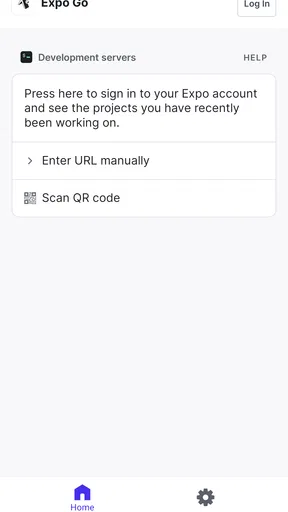
- Scan a QR code to open a compatible project quickly.
- See many code changes through fast refresh.
- Useful for testing layouts on real phones and tablets.
- Available at no cost on Android and iOS.
Cons
- Requires an internet connection for most development workflows.
- Some native modules need a custom development build.
- App Store review rules can limit access to certain SDKs.
- Expo Go may not match a production app exactly.
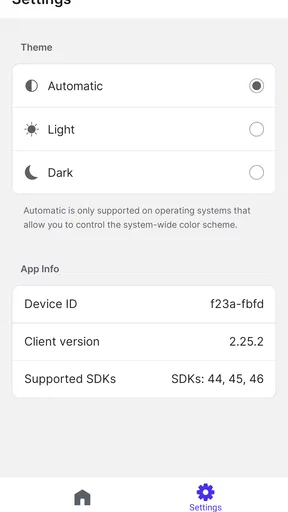
- Projects must use SDK versions supported by the installed app.


